

agent.call_ended webhook and turns each completed call into a conversation with an event for every caller and agent exchange. AgentPhone already provides the transcript, so Agnost AI does not run speech-to-text again. No SDK or code change is needed.
This integration is for agents that use AgentPhone’s built-in voice (voiceMode: "hosted"), where AgentPhone’s own LLM answers calls from the agent’s instructions. A webhook-mode agent needs its webhook to answer every caller turn, so Agnost AI cannot take that webhook’s place.
Setup takes about five minutes.
1. Get your organization ID
Sign in to app.agnost.ai, open Settings, and copy the Organization ID under General. It is a UUID.
Settings → General → Organization ID
2. Check that the agent uses built-in voice
In the AgentPhone dashboard, open the agent. Built-in voice appears under its name. Through the API,GET /v1/agents/<agent-id> returns "voiceMode": "hosted".
If the agent does not use built-in voice, stop here: its webhook answers your callers and must stay pointed at your server.

Built-in voice appears under the agent's name
3. Connect the agent’s webhook to Agnost AI
Build your webhook URL:agent_name is optional and must be URL-encoded, for example Front%20Desk. Without it, the AgentPhone agent ID becomes the agent name in Agnost AI.
Then set it as the agent’s own webhook, in either place:
-
Dashboard: open the agent, select Connections, and under Agent Webhook select Configure. Paste the URL into Webhook URL and select Save.
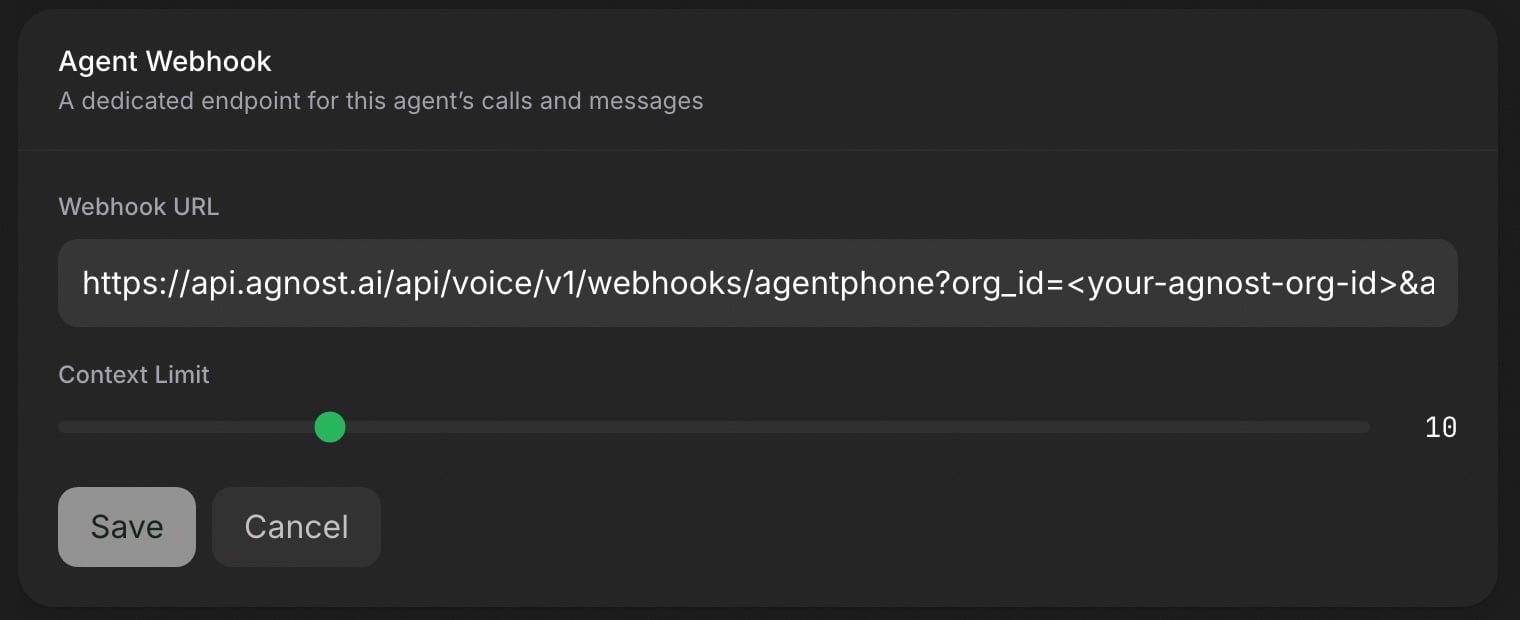
Connections → Agent Webhook → Webhook URL
-
API:
POST /v1/webhooks, using the same URL without agent_name.
AgentPhone also sends SMS and other messages for this agent to the same webhook. Agnost AI acknowledges them but does not reply, so connect only voice numbers to this agent.
4. Send a test event
{"success":true,"httpStatus":204,...}. Agnost AI acknowledges test events without creating a conversation.
5. Place a call and find it in Agnost AI
Call one of the agent’s numbers, or start a browser web call. Agnost AI receives the call when it ends, so the conversation appears a few seconds after hang-up. In app.agnost.ai, open Users. Each call is a session for the caller’s number, with the full transcript in the conversation panel.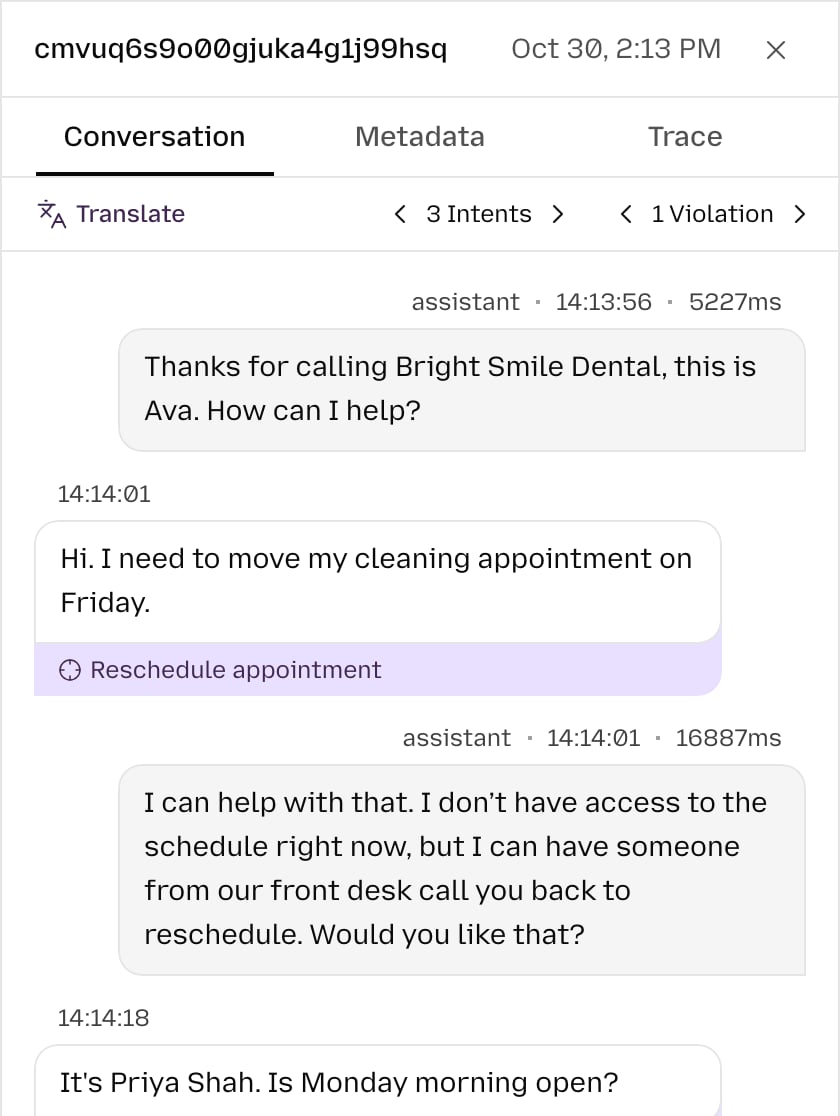
A completed AgentPhone call, with intents and a violation
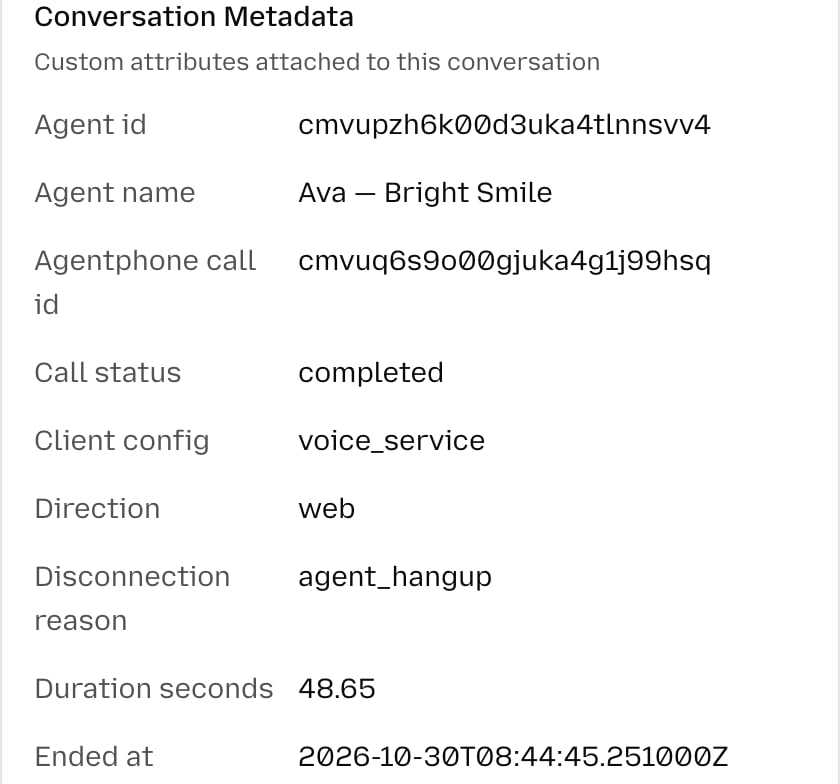
AgentPhone call details in the Metadata tab
6. Add intents and rules
Agnost AI tags caller messages with your intents and checks agent turns against your rules. Create them on the Intents and Violations pages, for example a “Reschedule appointment” intent or a rule that the agent must confirm a callback number before ending a call. Agnost AI classifies each call automatically about 15 minutes after it ends.
Intent matches from AgentPhone calls
Troubleshooting
- The test event fails: check that the URL starts with
https://api.agnost.aiand thatorg_idis a valid UUID. - AgentPhone shows
422for the agent’s deliveries: the agent is in webhook mode, and Agnost AI cannot answer its live voice turns. Point that webhook back at your server. - The test passes but calls do not appear: check that
org_idmatches the organization selected in Agnost AI, and that the call reached at least one transcript turn. Calls with no transcript are not captured.
Data mapping
data.callIdbecomes the Agnost AI conversation ID.- The caller number (
fromon inbound calls,toon outbound calls) becomes the user ID. Browser web calls have no phone number and fall back to the call ID. transcriptturns with theuseroragentrole become caller and agent exchanges.startedAtanchors the conversation start time.summary,userSentiment, andcallSuccessful(when AgentPhone provides them), plusstatus,disconnectionReason, direction, number, agent ID, and timing, become conversation metadata.- A
recordingUrlwith anhttporhttpsscheme, when present, becomes the conversation recording.
transcript_timing: estimated, so per-exchange durations for AgentPhone calls are approximate.
The agent.call_ended payload does not include tool calls or call cost, so AgentPhone conversations have no tool events or cost data.
Delivery behavior
Captured calls return200. Agnost AI returns 204 for messages, reactions, number releases, test events, and calls without a transcript. A live voice turn (agent.message on the voice channel) returns 422, because it means a webhook-mode agent is pointed at Agnost AI and its callers hear silence. Invalid payloads return 400, and downstream ingestion failures return 502.
AgentPhone sends agent.call_ended once and does not retry it. A call whose delivery fails is not captured.
AgentPhone signs each delivery with X-Webhook-Signature. Verifying it requires storing each organization’s AgentPhone webhook secret, so this initial integration follows the same organization-routing trust model as the other voice webhook adapters and does not verify the signature. Treat the webhook URL as sensitive until per-organization signature verification is available.
Next steps
- Conversations: review complete AgentPhone calls.
- Events: inspect each caller and agent exchange.
- Intents: understand why callers contacted the agent.